

Framclipse is a plugin for Eclipse.
Eclipse is a free development tool that is very helpful in developing source code for many programming languages like Java or C++. Framclipse is a plugin for Eclipse which lets you use the power of Eclipse while you write FramScript code!
Framclipse was started at Poznan University of Technology, Poland, by Jan Kuzniak, and then extended by Przemyslaw Polewski. It was later rewritten by Bartosz Kukawka and Tomek Maciejewski, and updated by Mateusz Poszwa. The motivation was to help other people that are using Framsticks simulator write scripts.
Framclipse is open source, released under a very liberal MIT License, so feel free to do anything you want with it. All the files for this project (sources, configurations, distributions, and helper files) are available.
Features
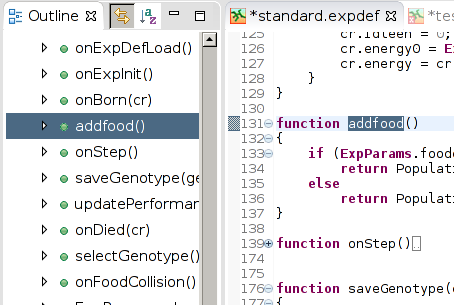
Current version of Framclipse opens .script, .neuro, .expdef, .show and .style files. It offers standard Eclipse editor with framscript-specific syntax coloring, basic code validation, and a simple completion mechanism.
Syntax coloring is very much alike Eclipse's Java editor, i.e. keywords, strings, and comments are highlighted.
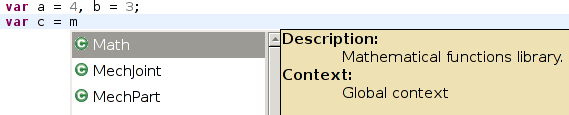
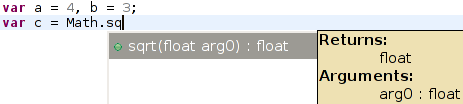
Completion proposal is limited, yet still useful. It proposes list of Framscript classes, and for each class - it's methods. It contains information about field/method type as well as method signature. Unfortunately, as soon as not class name is used but a variable of this class type, completion proposal lists fields from all classes, as it does not deduce the type of the variable yet.
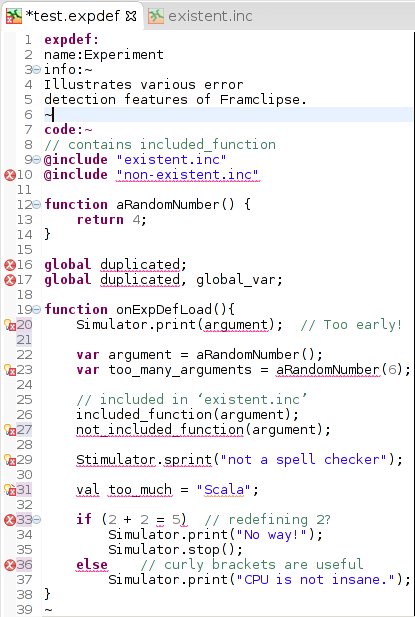
Framclipse at this moment doesn't 'understand' framscript. It just uses some basic rules to color it and propose completions. It can also detect most basic syntax and reference errors, but it is not clever enough to detect type errors.
Syntax coloring for the framscript language
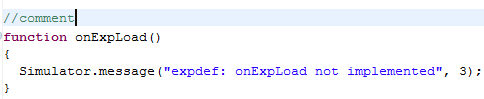
Javadoc-style popups for dynamic presentation of framscript documentation
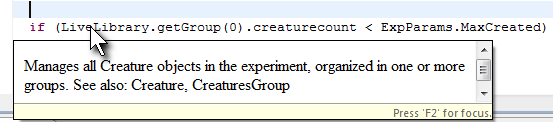
Dynamic context-sensitive content assistance/code completion
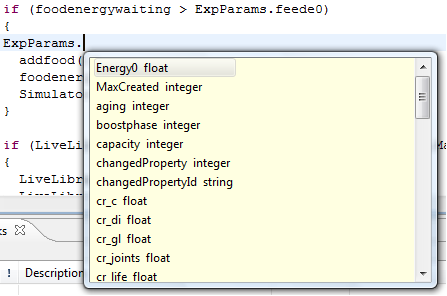
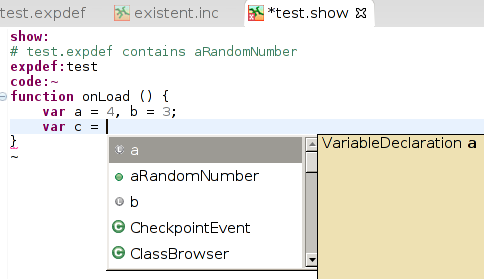
Basic error detection
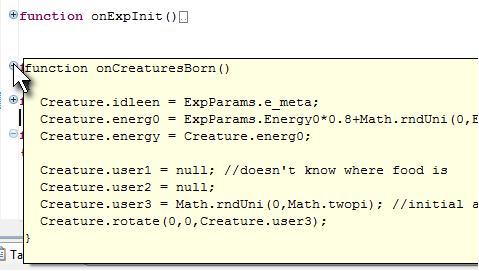
Foldable code sections with support for on-mouse-over content preview
Fully interactive, dynamically updated outline
Installation
Framclipse has been tested on Eclipse 4.4 and 4.5, and it is likely to work on newer versions, as well as some older ones.
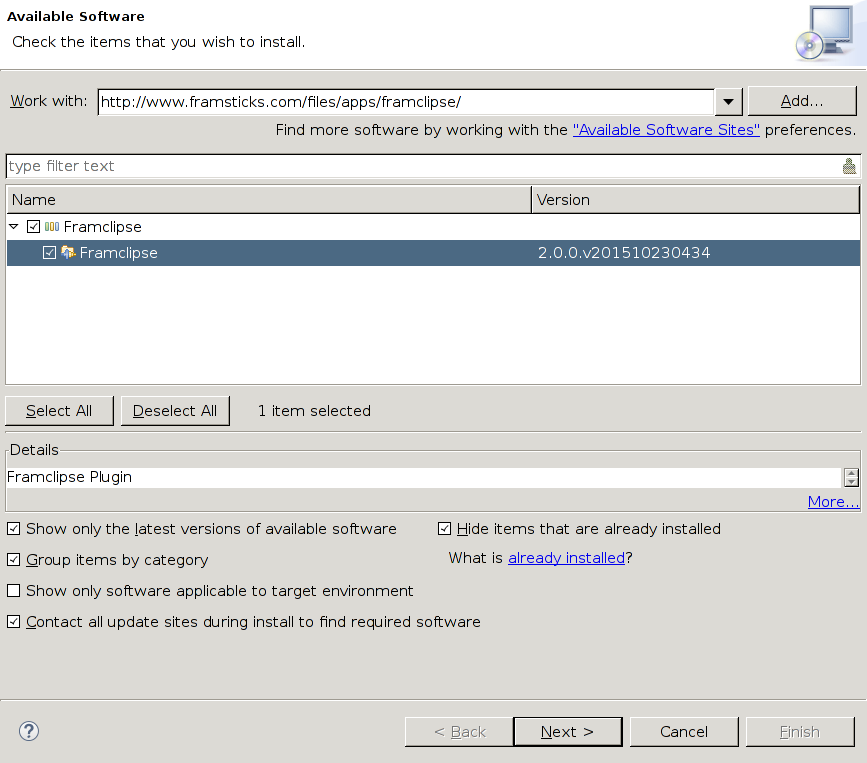
You can use Framclipse update site at http://www.framsticks.com/files/apps/framclipse/ to make Eclipse automatically install Framclipse:
- Run Eclipse.
- Go to Eclipse Help menu -> Install New Software.
- In the "Work with:" field, enter
http://download.itemis.com/updates/
and press enter. - In the same "Work with:" field, remove previous content, enter
http://www.framsticks.com/files/apps/framclipse/
and press enter again. - Select the newest version of Framclipse to install and click "Next".
- Accept the terms of license and click OK.
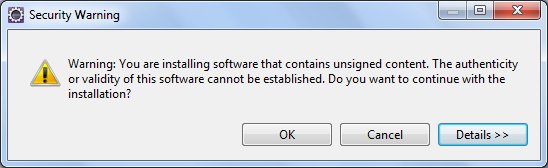
- If you are warned about unsigned feature, click OK.
- After successful installation, you will be prompted to restart Eclipse. You do not have to do it immediately, but Framclipse will not work until you do.
In case of problems: ensure that you have appropriate Eclipse release repository (e.g. http://download.eclipse.org/releases/mars/) added and enabled in "Available software sites".
Using Framclipse
To start editing a FramScript script:- Start a new project (File->New->Project)
- Select General->Project
- Once the project is created, add a new file to the project
- The file must have one of the extensions: neuro, script, expdef, show, style, inc
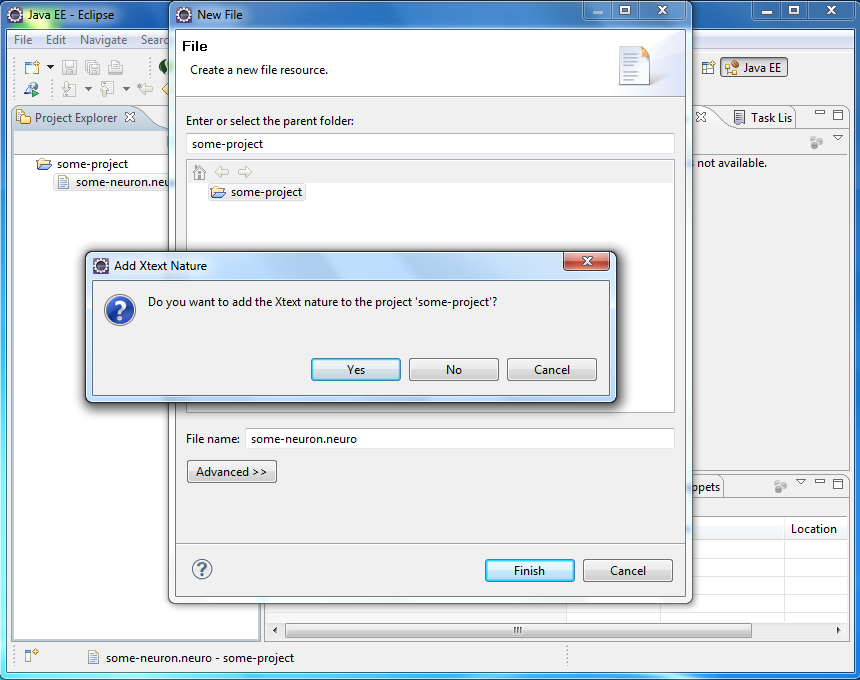
- If asked for adding the Xtext nature, answer "Yes".
Future
Below there is a list of features that can be improved in future versions:
- Improved completion proposal.
- More advanced error detection.
- Code formatter.
- Quick assist for fixing common problems.
Contact
If you want to report a bug or ask a question, please register and use our forums.
If you would like to participate in the project, please check the SVN repository and contact macko.